Edit Asset Details
Click on the asset to display the flyout screen and click Edit. The Edit Asset screen is displayed.
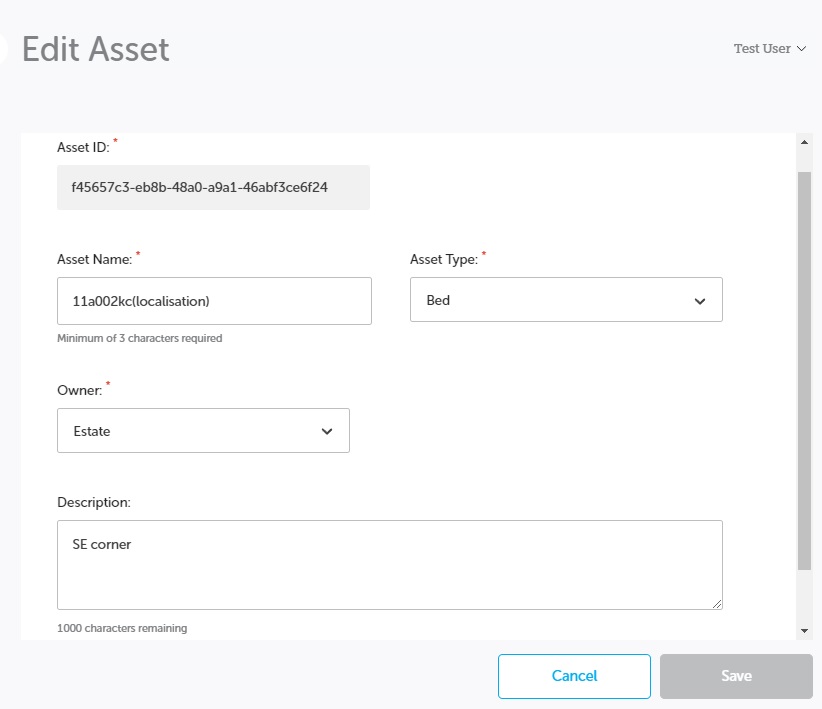
Edit the fields as required:
| Field | Description |
|---|---|
| Asset ID | Field is not editable. |
| Asset Name | Minimum 3 characters and a maximum of 100. Field must be unique, if not when you click Save, the field will display red with an error message. |
| Asset Type | Drop-down field, select relevant type from the list. |
| Owner | Drop-down field, select relevant owner from the list. |
| Description | Maximum 1000 characters. Enter text to describe the asset. |
When the details are updated, click Save.
Note: Information relating to the assigned beacon cannot be edited.
The Asset List screen is displayed with the updated information.