Registered Beacons Tab
The search option under the Registered Beacons tab can be for a whole word or part of a word in all or one of the following fields:
- Asset ID (found in the Asset flyout screen)
- Beacon ID
- Source
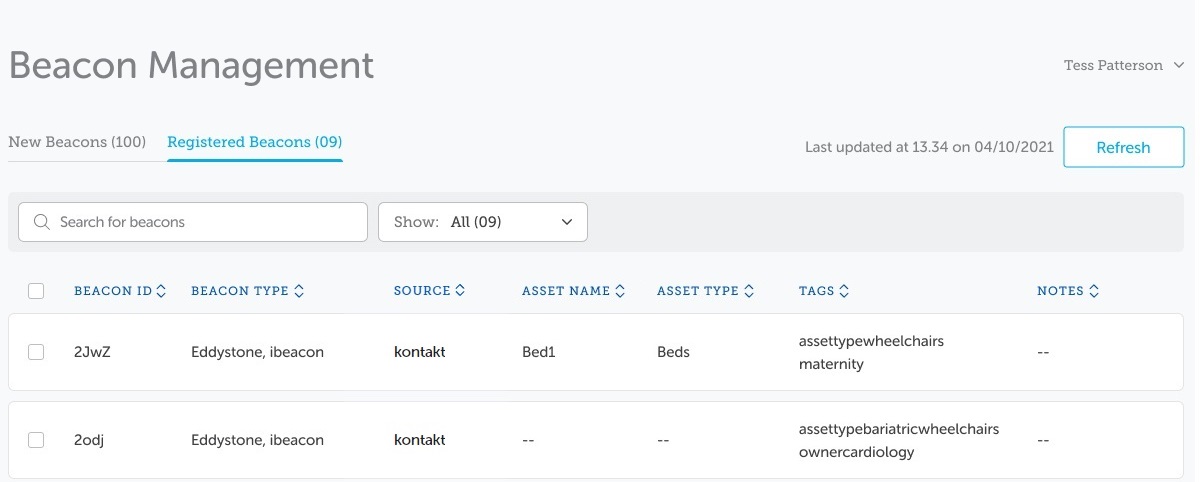
There is also a Filter drop-down to display all search results or just those with assets assigned or those with no asset assigned.
If a combination of the Search and Filter options for beacons are used, the following results occur:
-
When a user enters a search term and then selects a filter, the search is cleared and the filter is based on all registered beacons.
-
When a user selects a filter first and then runs a search, the filter persists and the search results include only those that were included in the filter.
Search for Registered Beacons
Enter the name or part of the search criteria in the search field.
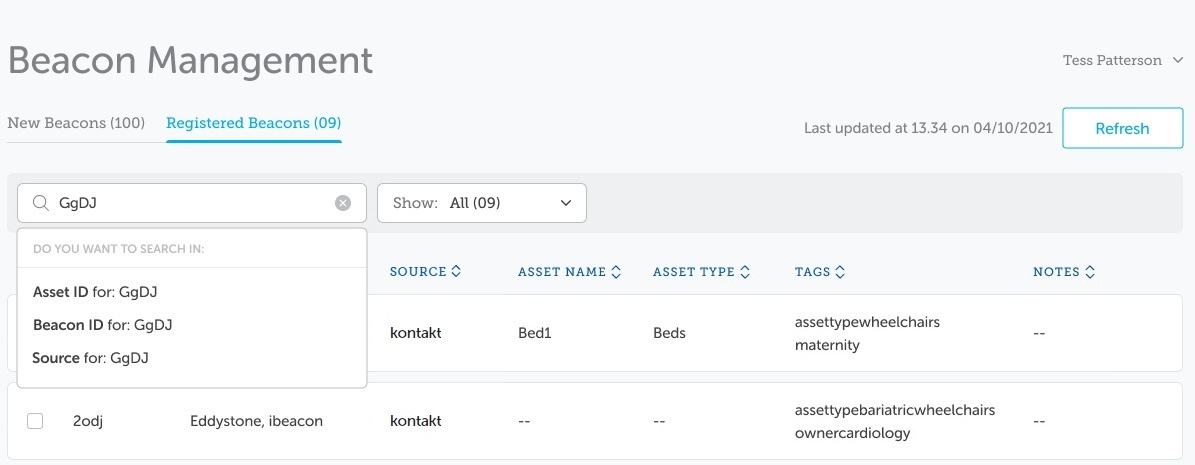
As the criteria is entered, the drop-down is displayed. Complete the search criteria.
-
To search in all search fields, press Enter.
-
To narrow the search, select the appropriate field to be searched from the drop-down.
The result will display all registered beacons that match the criteria you have entered in either all three search fields, or in just the search field selected.
Entering the whole beacon id will display just the one beacon.
If no beacons match the criteria entered, a message displays on the screen.
Note: If a filter has been selected prior to the search, the search only applies to the filtered list of beacons.
To exit the results page, click on the Asset List or Beacon Management in the navigation bar or click the cross icon in the search field.
Registered Beacon Filter
The Registered Beacon tab also has a drop-down field which filters the list of beacons.
Note: The numbers in brackets indicate the number of beacons listed in that filter if there are no search criteria.
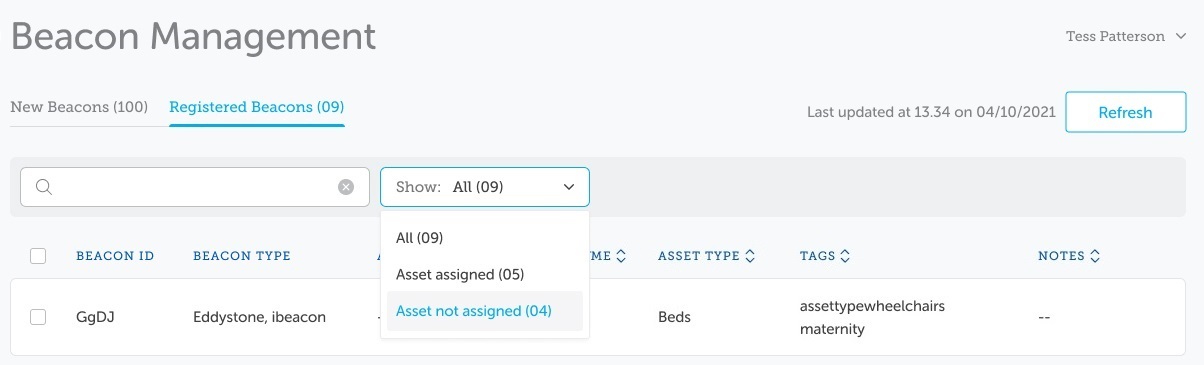
The drop-down filters the list to display:
- All (Beacons)
- (Beacons with) Assets assigned
- (Beacons with) Assets not assigned
Note: If the beacons listed are the result of a search, the search is cleared and the filter results are from all registered beacons.