Column Sort Order
The Asset List screen and Beacon Management tabs have different default sort orders:
-
Asset List: The default sort order is the order assets are added to the database with the last item added listed first.
-
New Beacons tab: The order of new beacons is the order they are sent through by the third party who supplies your beacons.
Note: It is not possible to change the sort order of the beacons listed under the New Beacons tab.
-
Registered Beacons tab: The default sort order is Beacon ID.
The Asset List screen and Registered Beacons tab can have their sort order changed by clicking the column headings.
Click the heading to sort the items according to the column heading.
Click the column heading again to reverse the order.
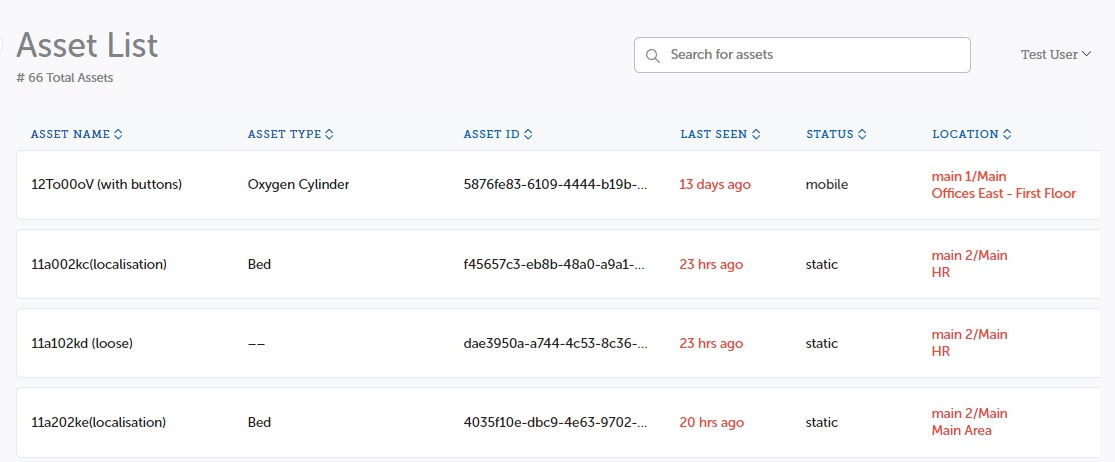
When you leave and return to the screen, the list reverts to the default order.
Important: When sorting, only the first 50 items are initially displayed in the selected sort order. The sorting feature makes a new call to the data and can only return the first fifty items. If more items are needed, click the Show Next button to display more items in the selected order.